

Learn videos breefly
Automatically condense any video into the moments that matter most.
Try it now for free!
Upload supported files: MP4, MOV, AVI, MKV, WEBM
Process videos directly on YouTube & educational platforms
Trusted by students at

.svg.png)










See Breefly in action.
Lectures, podcasts, explainer videos, tutorials—Breefly condenses any video into the moments that matter the most.
Everything you need.
Nothing you don't.
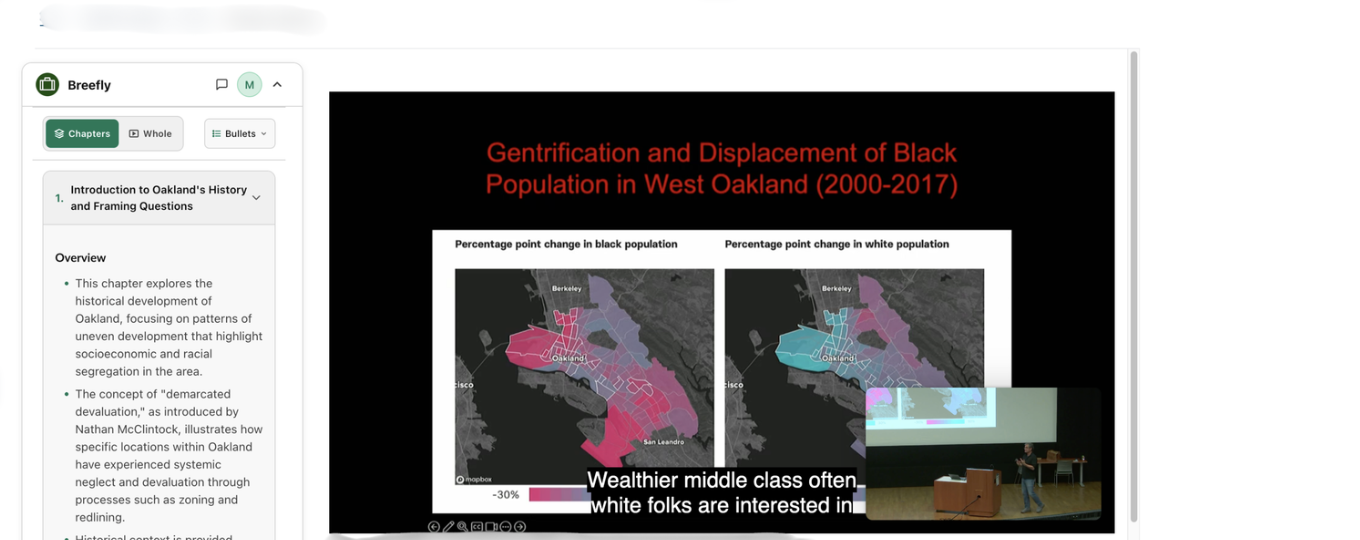
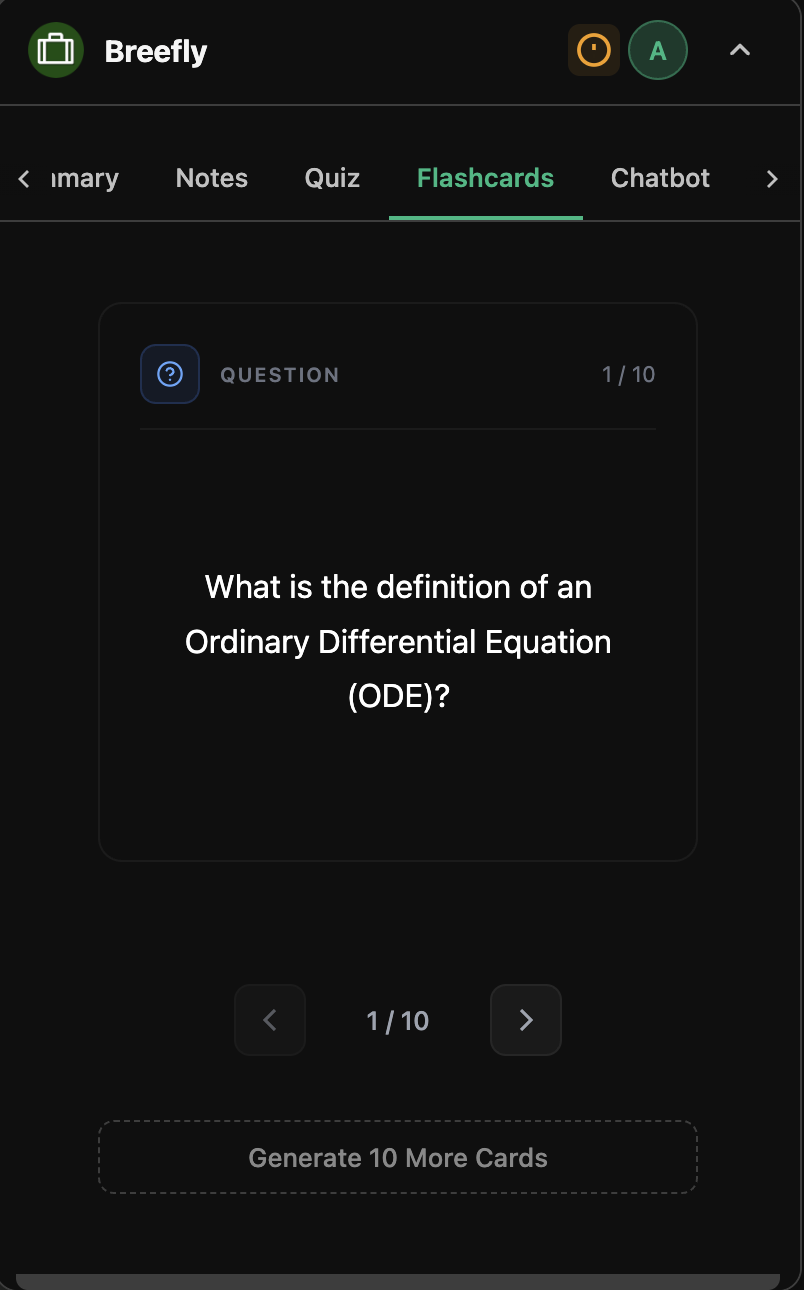
Chapters, notes, chatbot, flashcards, quiz, and transcript — all generated in seconds, with direct references to the source.
Chapters
5 chaptersWorks Right Where You Learn
Our Chrome extension brings Breefly directly to YouTube and any educational platform. Process any video without leaving the page.
Download the Chrome Extension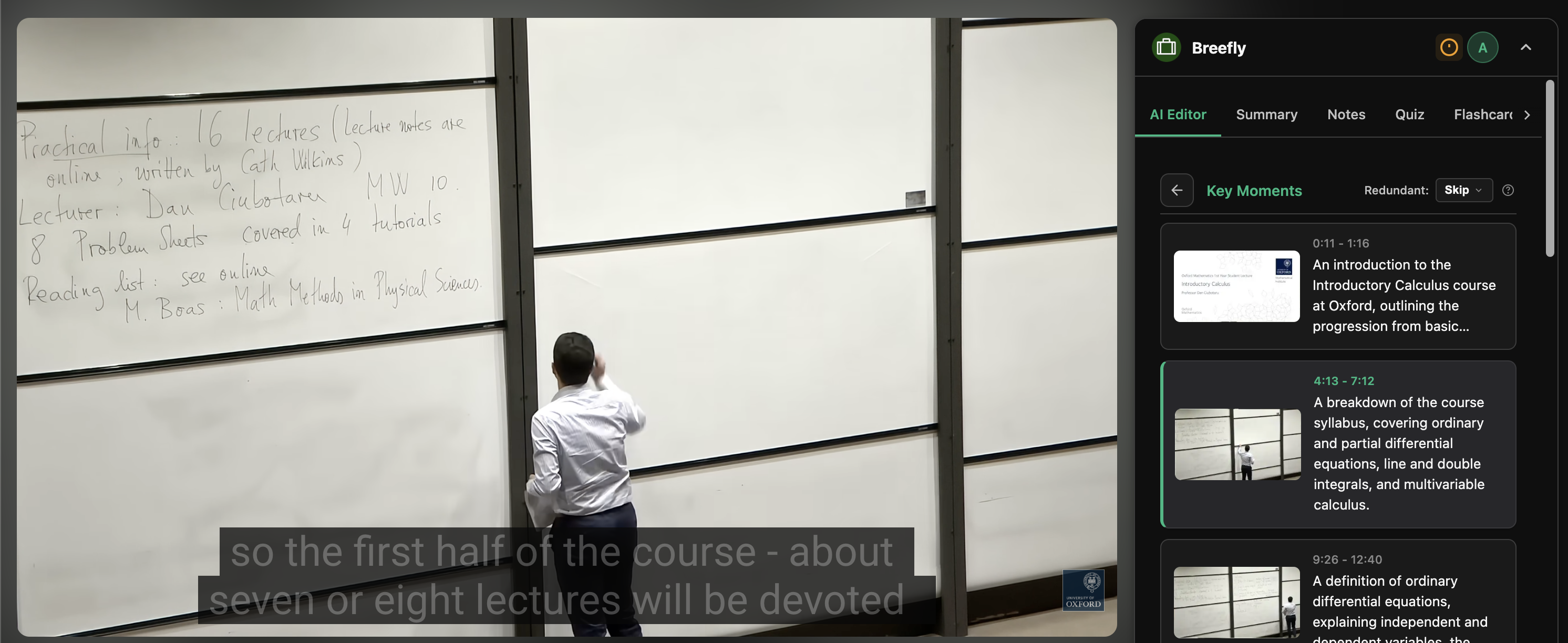
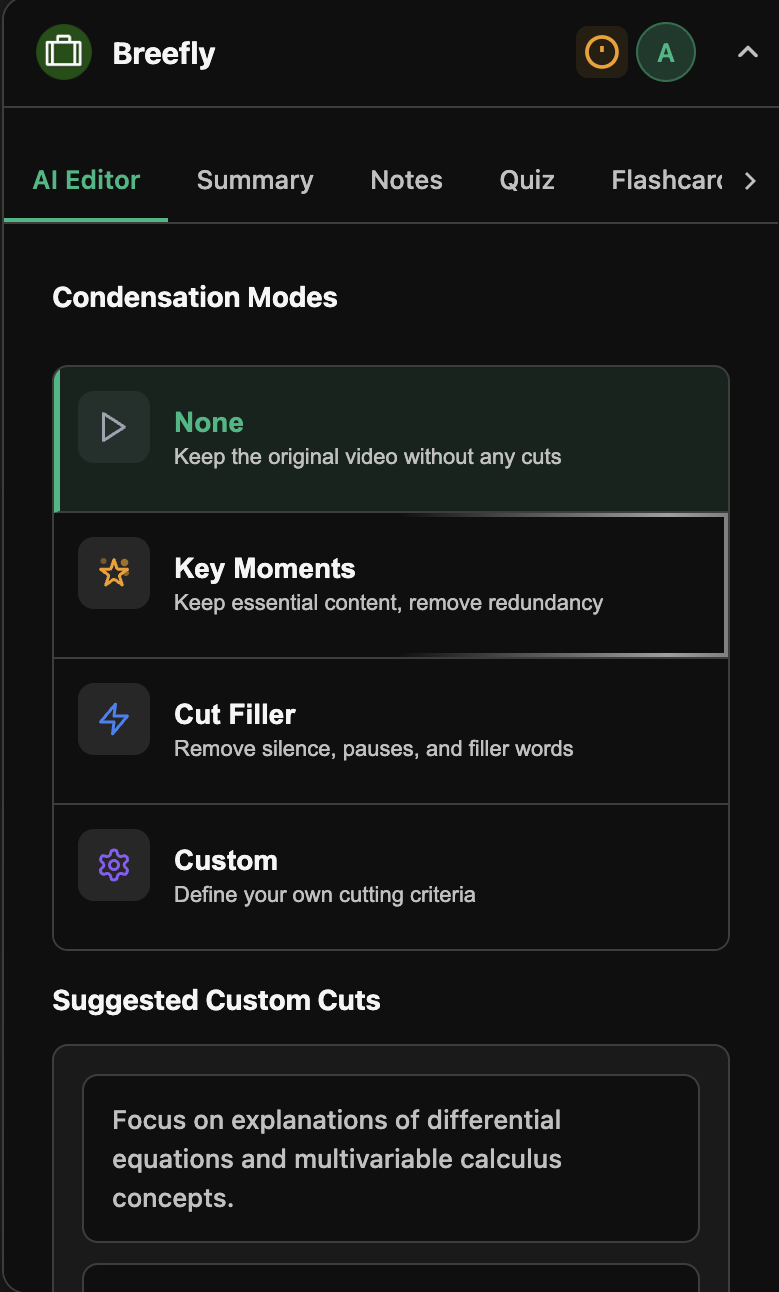
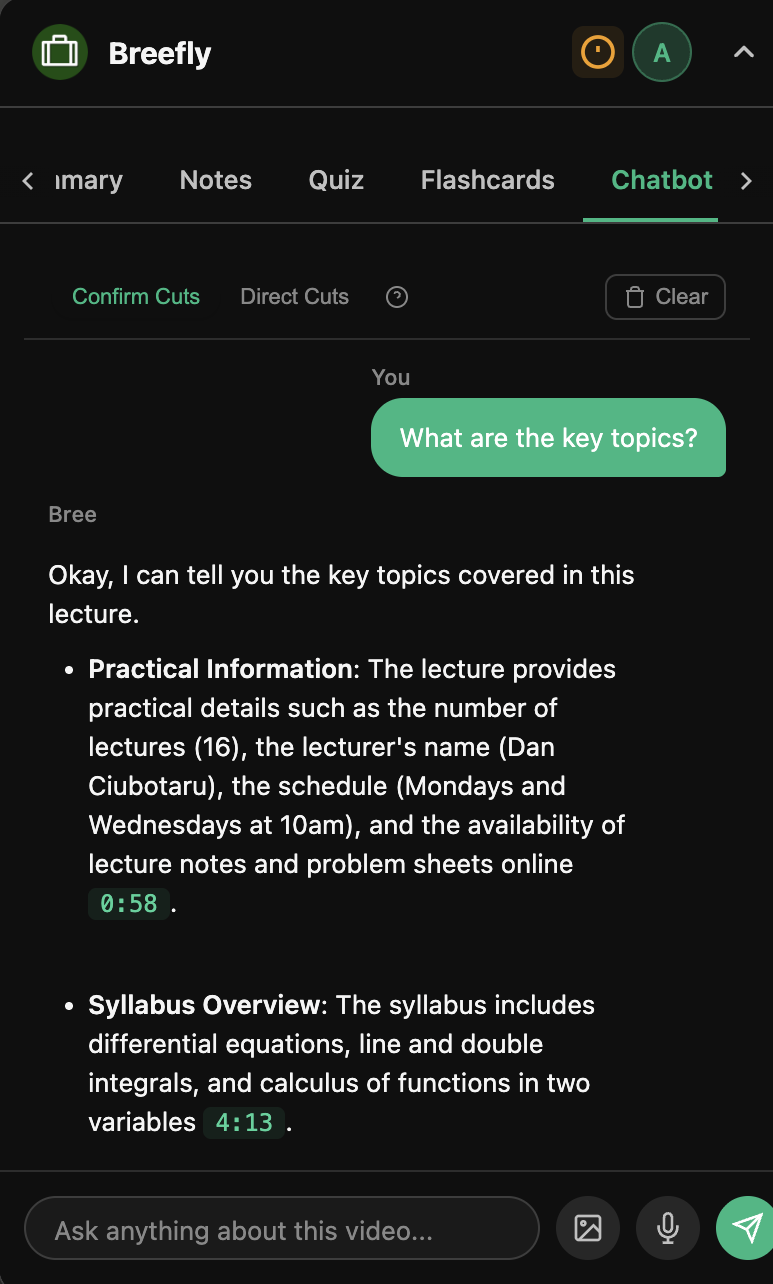
Your AI Editor Learning Companion
Choose from various processing modes to fully customize your viewing experience. Tailor the video to the topics and moments that you care about, all with a single prompt.
Introductory Calculus
Inefficient to watch in full. Hard to find the parts that matter. No way to customize what you focus on.
Choose your plan.
Start free, upgrade to learn more. All plans include our core features.
Get 1 Month Free Trial of Breefly Pro
Sign up with your .edu email
Card required · Cancel anytime · No charge
Free for 5 hours · No card required
Monthly
Billed monthly
- Unlimited processing
Limits apply - 24 hour max video length
- Proprietary AI model
- Videos without captions
- All condensing modes
- AI chatbot & study tools
6-Month
$41.94 billed every 6 months
- Unlimited processing
Limits apply - 24 hour max video length
- Proprietary AI model
- Videos without captions
- All condensing modes
- AI chatbot & study tools
Yearly
$71.88 billed yearly
- Unlimited processing
Limits apply - 24 hour max video length
- Proprietary AI model
- Videos without captions
- All condensing modes
- AI chatbot & study tools
Trusted by thousands of learners worldwide · Cancel anytime
Frequently Asked Questions.
Everything you need to know about Breefly
How does Breefly condense videos?
Breefly analyzes your video's transcript to identify and remove filler, tangents, and repetition, keeping only the content that matters. The result: the fastest way to learn from long videos without missing key concepts.
What video platforms are supported?
Breefly works with Youtube, Panopto, and Kaltura on the extension, and supports the previous platforms as well as direct uploads (.mp4, .mov, .avi, .mkv, .webm) on our website. Paste a link, add our extension, or upload a file and processing starts in seconds.
Is the free plan really free?
Yes. Every user gets 5 hours of lifetime processing for free, no credit card required. When you're ready for more, Pro starts at just $9.99 per month with unlimited features. Students with a .edu email get a 1-month free trial of Pro—just add a card and cancel anytime before the trial ends.
How accurate is the AI condensation?
Breefly is built specifically for educational content and is designed to preserve 100% of the core ideas from lectures. It intelligently removes 40 to 60% of low-value moments, such as long pauses, repeated explanations, and off-topic tangents, so students can learn faster without losing essential understanding or context.
How is Breefly different from other notes and study tools?
Most study tools summarize videos into text and you lose the video entirely. Breefly edits the video itself, so you can search, skim, and study from the original content. Think of it as Control-F for video learning.